What Is Zalgo Text and How Does It Work?
That dripping, glitchy "cursed" text is normal letters with dozens of stacked Unicode combining marks piled on. Here is how it is made, why it breaks, and whether it is safe to use.
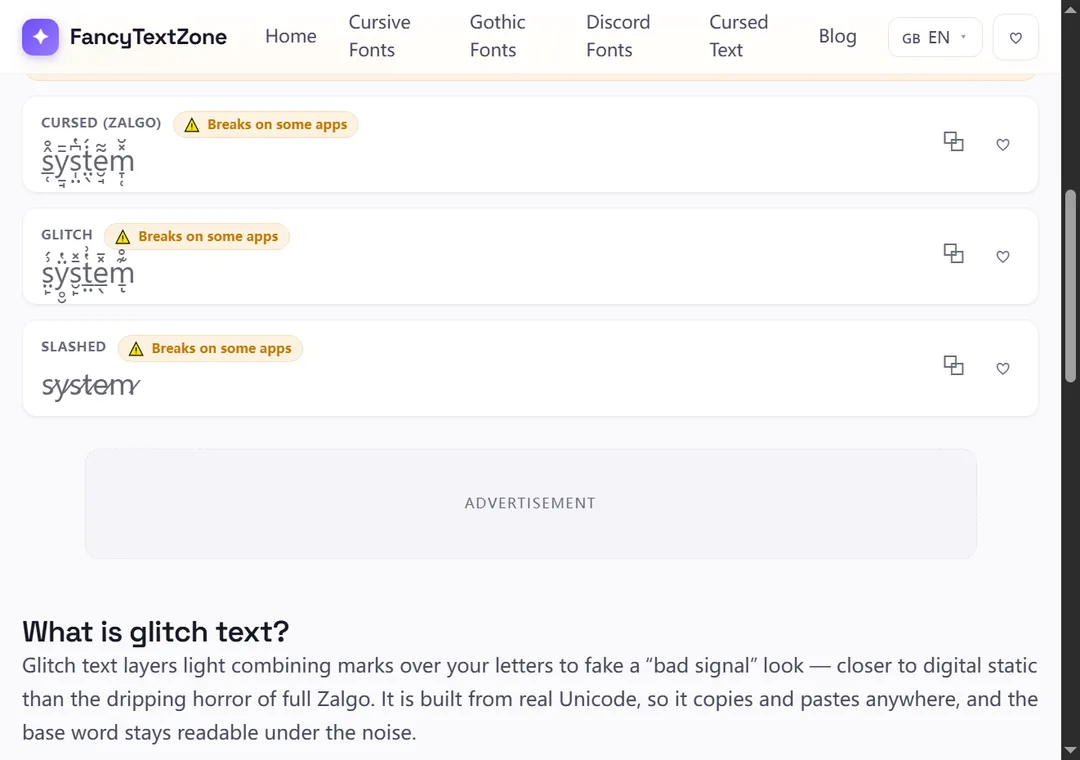
Glitch text takes your normal letters and scatters a few Unicode combining marks over them — small accent-like characters that stack onto a letter — to fake a corrupted, "bad signal" look. It uses the very same building blocks as Zalgo, but kept deliberately sparse, so it reads as digital static rather than a heavy drip. There is no font to install — the marks are themselves standard Unicode characters, so a glitched word survives a copy-paste into any text field, and it breaks in the same ways combining marks tend to.
The "glitch" or "corrupted" look — popular for game tags, cyberpunk usernames and edgy display names — is not a damaged font or an effect. It is ordinary letters with a light dusting of combining marks layered on top, just enough to make them look like a signal breaking up. Our glitch text generator builds it with an intensity slider, so you can go from a faint flicker to a heavier scramble.
Because the base letters are untouched underneath the marks, the word usually stays readable — that is the whole appeal of glitch over heavier corruptions. The static is decoration sitting on top of letters that are still, fundamentally, your text.
Every "glitchy" letter is a normal character followed by one or more combining marks from Unicode's Combining Diacritical Marks block (U+0300–U+036F) — the same accents used to write languages, here scattered for effect. A single glitched letter might carry a mark above, a mark below and a stroke across it. Companion styles lean on specific marks: strikethrough uses the combining long stroke overlay (U+0336), and the "slashed" look uses a solidus overlay.
These marks do not take their own space. As Unicode's text-segmentation rules (UAX #29) put it, "there is never a break between a base character and subsequent nonspacing marks" — the letter and its marks render as a single stacked unit. The intensity slider simply sets how many marks get piled onto each letter: a few for a clean flicker, more for a heavier break-up.
They are the same trick at different volumes, and this is the most useful thing to understand:
Both pull from the same combining-mark block; only the density differs. That is also why the same intensity slider can walk you from one to the other — nudge it up and a glitch look slides toward full Zalgo. If you want the heavy, melting version and the full mechanics of stacking, the Zalgo guide covers it; if you want a controlled, readable corruption, glitch is the lighter setting.
The same marks that make the effect also make it fragile, and the heavier you go, the worse it gets. Renderers cap how many combining marks they will draw on one letter, so an extreme glitch can look milder — or collapse into boxes — on a device with thinner font coverage, with older Android the usual culprit. Some platforms also run Unicode normalization or filter combining marks on input, stripping the effect. And many communities police it: Discord, for one, commonly strips or auto-resets heavy combining-mark names. The fix is the same every time — keep the intensity low for anything that has to render reliably, which is exactly why the generator defaults to a safe setting.
| Where you paste it | How it fares | Why |
|---|---|---|
| Game names & tags | Good at low intensity | The classic home for the look; keep it light |
| Chat messages & captions | Usually fine | Free-text fields render the marks |
| Discord display name / nickname | Light only | Heavy glitch is filtered from the member list |
| @usernames / handles | Never | Plain characters only — marks are rejected |
| Older Android, locked-down apps | Risky | Mark stacks cap out or fall back to boxes |
The thread running through that table: glitch rewards a light touch. The lighter you keep it, the more places it survives — and a light flicker often looks better than a full scramble anyway.
The text itself is harmless. It is just letters and combining marks — not code — so it cannot damage a device, a post or a server, and deleting it removes it cleanly. The risks are practical, not technical. Heavy combining-mark names are the kind moderation bots flag or strip, and some servers require a readable, mentionable name; a light glitch almost always passes where a full scramble gets auto-reset. It is also hard on accessibility: a screen reader has to read out each mark by name, so even a lightly glitched word can land as "combining tilde, combining grave accent" before the actual letter — part of why fancy text reads as gibberish to others. Use it for visual flavour, never for a link, a handle or anything that has to be read or heard.
Open the glitch text generator, type your name or phrase, and use the intensity slider to set how broken it looks — start low and raise it only until it reads the way you want. Copy a style and paste it into a game name, Discord nickname or chat.
Two habits keep it working: favour the lower intensities for names and bios, since that is what survives Discord, Android and the rest; and if it is going somewhere public, paste it into the real destination and check there, because the heavier marks are the first to drop. And save the plain spelling of anything people might search for or type — a glitched string matches no search box and cannot be keyed in by hand.
Glitch is the gentle end of the combining-mark family. For the heavy, dripping end, see what is Zalgo text; for why stacked marks turn into empty rectangles on some screens, why fancy text shows up as boxes. To dial in your own corruption from a flicker to a full scramble, open the glitch text generator.
That dripping, glitchy "cursed" text is normal letters with dozens of stacked Unicode combining marks piled on. Here is how it is made, why it breaks, and whether it is safe to use.
Those empty boxes are called "tofu". They appear when a device lacks a font for the Unicode characters behind fancy text — here is the full explanation, and how to avoid them.