Fancy Fonts on Instagram: Bio, Username and Story Rules
Your Instagram bio and name field accept styled Unicode; your @username and Story text do not. Here is the rule for every field, and why.
On TikTok, fancy text works in your display name (nickname) and in your captions, comments and bio, because those accept Unicode. It does not work in your @username, which TikTok limits to letters, numbers, underscores and periods. So you can have a styled display name above a plain @handle — that split is the single most useful thing to understand about styling your TikTok profile.
No. According to TikTok's own guidance on changing your username, a username can only contain letters, numbers, underscores and periods — so styled Unicode is rejected there. The @username is the part in your profile link (tiktok.com/@yourname), and it has to be typeable and linkable, which is exactly why it is locked to a plain character set.
This catches people out because they see a stylised name on someone's profile and assume it is the handle. It is not — that decoration lives in a different field, covered next.
This is where fancy text belongs. Your display name (TikTok calls it your nickname) is separate from the @username and accepts Unicode, so script, bold and other styles paste straight in and show for most viewers. It is the bold name shown above your handle on your profile, and the one people actually read.
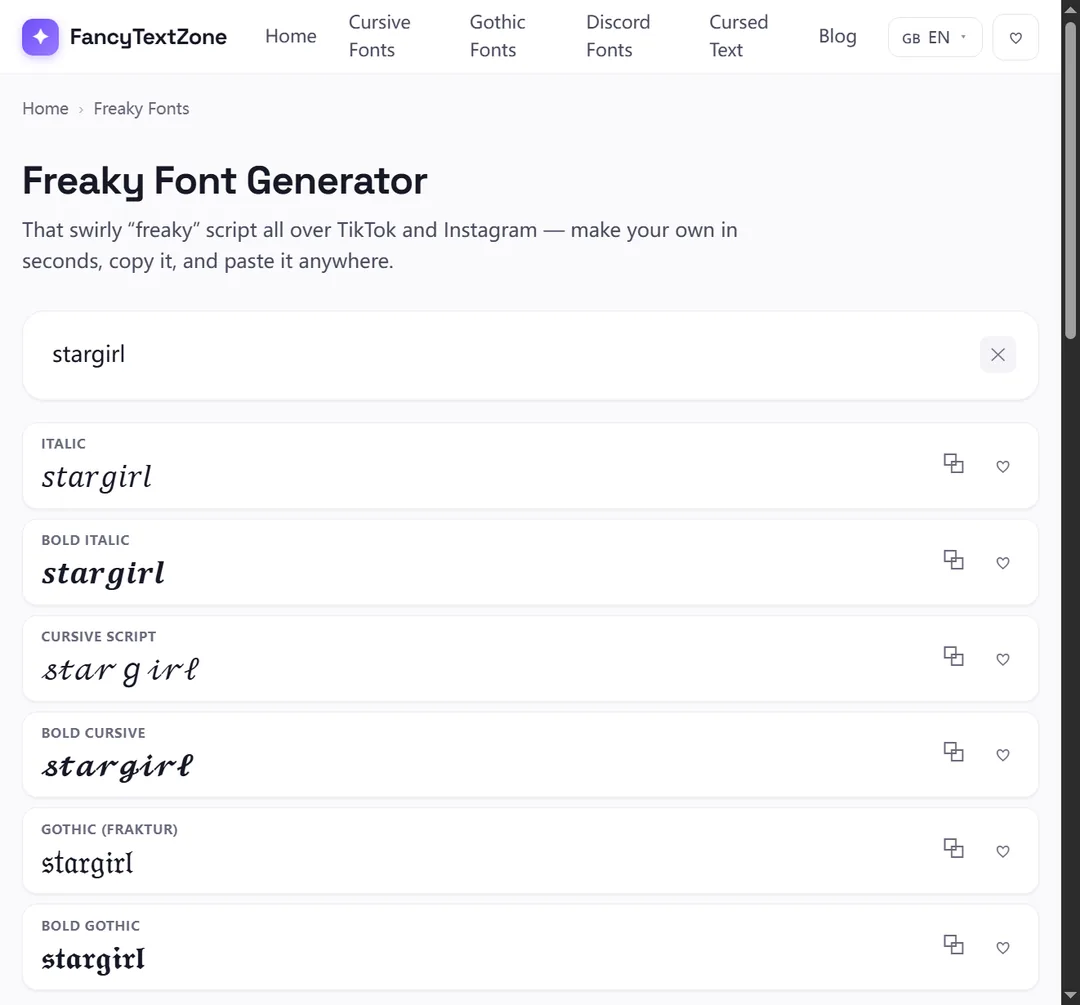
Generate the look you want — script and bold styles suit the TikTok aesthetic — in our freaky font generator, copy it, and paste it into the nickname field when you edit your profile. There is a length cap on the nickname, and a styled letter still counts toward it, so a heavily decorated name can run out of room sooner than a plain one.
Yes. Captions, comments and the bio all accept Unicode, so styled text posts and displays normally, subject to the usual device-font limits. Two small things are worth knowing. First, hashtags should stay in plain letters — a styled #word is not read as the hashtag it looks like, so it will not group your video with that tag or surface it in search. Second, the bio is a better home for a styled flourish than the caption of a video you want found, because anything you want the algorithm and viewers to read by keyword is better left plain.
| Field | Fancy text? | Why |
|---|---|---|
| Display name (nickname) | Yes | Accepts Unicode — the main place for styling |
| Bio | Yes | Accepts Unicode |
| Captions & comments | Yes | Accept Unicode (keep hashtags plain) |
| @username (handle) | No | Letters, numbers, _ and . only |
| Hashtags | No | Styled text is not matched as the tag |
The styles that suit TikTok are also, conveniently, the ones that travel best. Script and bold are the popular choices for a name, and because they are complete alphabets from the Mathematical Alphanumeric Symbols block, they render on most phones rather than dropping out. The heavily decorated looks — stacked cursed or zalgo effects — are the riskiest, because the combining marks they rely on get clipped or dropped on some devices and can look broken on a busy feed.
A practical rule: the more you want a name read at a glance while scrolling, the cleaner the style should be. Save the wildest looks for a one-off comment, not the name on your profile.
Because every viewer's device draws your name with its own fonts, not yours — and on TikTok that name flashes past in the feed, on the For You page and over your videos, on every kind of phone there is. A device with no glyph for a niche style shows a box (tofu) there instead of your letters. Nothing is broken; it is a per-device rendering gap. Sticking to the widely shipped script and bold styles keeps it rare, and a quick look on a borrowed phone catches whatever slips through.
It can, so spend it where it counts. TikTok leans hard on text signals — the words in your name, bio and captions help decide who your videos reach — and styled Unicode is not read as the words it imitates, so a fully stylised name or keyword is effectively invisible to that matching. It is the same limitation the W3C describes for these characters: used in place of a real font, they break searching and accessibility alike. Screen readers fare no better, announcing each one by its formal Unicode name.
So keep the parts you want found — your name, your niche keywords, your hashtags — in ordinary letters, and let fancy text decorate the edges. Kept to the edges it costs you nothing; wrapped around the keywords themselves, it can quietly cost you reach.
It takes about a minute. Open the freaky font generator, type your name, and pick a style — script and bold travel best. Tap to copy it. In TikTok, go to your profile, tap Edit profile, open the Name field (the nickname, not the username), paste, and save.
Then open your live profile to check it rather than trusting the edit screen — and because a TikTok name gets read at a glance as videos scroll past, it is worth seeing how yours looks on a phone other than your own. If a character renders as a box, switch to a more widely supported style before you save. And keep the plain spelling of your name somewhere handy, because a styled name cannot be typed back by anyone trying to search for you. The field rules shift a little on other apps — the Instagram bio, username and Story guide covers that one.
The same patterns repeat across platforms, with small twists. The Instagram field rules and the Discord username, nickname and message guide cover the other two big ones, and if your styled name reaches anyone as boxes, that guide explains why and how to dodge it. To style your own name, open the freaky font generator.
Your Instagram bio and name field accept styled Unicode; your @username and Story text do not. Here is the rule for every field, and why.
Those empty boxes are called "tofu". They appear when a device lacks a font for the Unicode characters behind fancy text — here is the full explanation, and how to avoid them.